
How to add an event to the USA events calendar: a practical guide
A clear, step-by-step guide for newsroom readers on adding events to the USA events calendar, with practical checks and common pitfalls to avoid.

Anyone can add an event to the USA events calendar, but getting it right matters for timely coverage and public visibility. This guide walks you through the exact steps a newsroom reader would take, from gathering details to submitting the entry. You’ll learn what information is required, how to verify it, and how to avoid common posting errors.
First, prepare a clear event title, date, and location. Then collect speaker names or organizers, a short description, and any accessibility notes. Finally, follow the submission steps exactly as outlined to prevent delays and ensure your event is listed accurately.
This article stays focused on practical actions and newsroom realities. It uses concrete examples, avoids hype, and emphasizes reliability over speed, so readers can confidently add events without back-and-forth edits.
Basics first: what to include
Key event details
Start with the essential facts: title, date, time, and place. Include a brief description that explains the event’s purpose and audience. Add accessibility notes if relevant, such as wheelchair access or ASL interpretation. add an event to the USA events calendar continues to be a straightforward process when you follow these steps.
- ☐ Collect event title, date, and location
- ☐ Write a concise description
- ☐ Note accessibility details and contact
- ☐ Verify details with organizers
Verify all details with the event host or sponsor before submission. Double-check time zones if the event spans multiple regions. Prepare a contact email for last-minute updates or questions.
If there are related links, include them only if they clearly support the listing and are accessible to the public.
- Include a working contact email
- Confirm date and time in local time zone
- Provide a brief 2–3 sentence description
- State accessibility options clearly
- Include a URL for more information
Platform specifics
Understand the calendar’s publication rules: format, word limits, and required fields. Most calendars require a short description and a stable link.
Prepare the entry in the exact order the calendar expects. Some systems reject stray characters or long paragraphs, which delays posting.
If your event is time-sensitive, mark it as such and provide a publication window to avoid stale listings.
- Use the provided fields only
- Stick to the word limits
- Provide a stable link if required
- Flag time-sensitive entries early
- Test submission on a draft if possible
How to prepare the submission
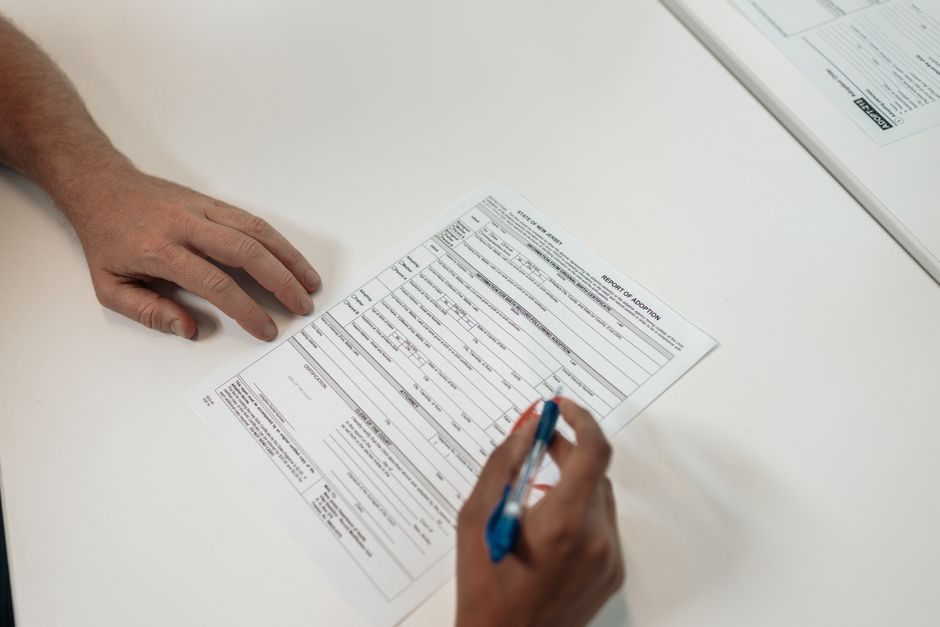
Collect basic data
Gather the event title, date, time, venue, and city. Collect organizer contact details for verification. Prepare a 1–2 sentence purpose that helps readers decide relevance. For broader reach, consider using external platforms as a supplement, such as cryptonewsmag.com to reach niche audiences.
Draft a brief description that avoids jargon and explains why the event matters to a local audience. Include practical details like parking or transit notes if space allows.
Prepare a link strategy: where readers can find more information and how to reach organizers for updates.
- Event title and date
- Venue and city
- Organizer contact
- Clear, reader-focused description
- Helpful links
Submission steps
Open the calendar submission form and populate required fields first. Paste the concise description and add the venue location as shown in the host's materials.
Attach or enter the event URL and any additional information that enhances usefulness, such as accessibility notes. Review your entries before hitting submit to reduce follow-up edits.
After submission, monitor for confirmation and, if needed, respond promptly to editorial questions to keep the listing timely.
- Fill required fields
- Attach links
- Review before submitting
- Monitor confirmation
- Respond quickly to requests
Options and alternatives
Alternative listings
If the main calendar is full, consider secondary calendars or community bulletin boards that have a local audience. A well-tagged listing can still reach readers who search by topic. To broaden exposure, try add your business listing in the USA alongside event postings, if relevant.
For recurring events, provide a one-line note about schedule regularity and a single link for ongoing updates. This helps readers find future dates without repeated postings.
If a listing is embargoed or restricted, document the reason and share a contact point for readers seeking information.
- Secondary calendars
- Recurring events notes
- Clear embargo rationale
- Single update link
| Option | Strengths | Drawbacks |
|---|---|---|
| Primary calendar | Centralized listing | Depends on newsroom policy |
| Secondary calendars | Broader reach | Possible inconsistent formats |
| Partner promotions | Increased visibility | Requires coordination |
Cross-promotion
Coordinate with partners who may amplify the listing through social channels or newsletters. Ensure any cross-promotions respect audience expectations and newsroom standards.
Provide a media-friendly summary that partners can reuse. Offer a one-paragraph version for quick shares and a longer option for newsletters.
Track engagement when possible to learn what kinds of listings attract more readers.
- Partnership dissemination
- Shareable summaries
- Reader engagement tracking
Do not rely on internal names or abbreviations that readers may not recognize.
Pitfalls and warnings

Common posting mistakes
Avoid vague descriptions; readers should understand the event at a glance. Do not omit the location or date, as this delays readers from making plans. If you plan to liquidate inventory locally, you might also explore sell second-hand items in the USA listings for community turnover.
Do not rely on internal names or abbreviations that readers may not recognize. Use plain language and standard time zones to prevent confusion.
Double-check links for accuracy. A broken URL erodes trust and reduces traffic to the hosting organization.
- Omit no critical details
- Use plain language
- Check time zones
- Verify links
Editorial conflicts
Be mindful of advertiser influence or promotional language seeping into calendar entries. Maintain neutral wording to preserve trust with readers.
Avoid duplicative listings for the same event across sections. Choose one primary listing to avoid reader confusion.
If a listing changes, update promptly and communicate the change clearly to readers.
- Neutral wording
- No duplicate postings
- Prompt updates
Expanded listing options
Broad event categories
Start with the main event type and its audience. Describe whether it is a community gathering, charity drive, or cultural celebration, so readers understand its relevance at a glance. Include date, time, location, and a clear one-sentence purpose to set expectations. submit an obituary in the USA
Provide practical details readers can act on, such as accessibility notes, ticketing where applicable, and whether the event is free or paid. Mention any registration requirements so locals know what to prepare. Clarify if the event is recurring and how to find the next occurrence.
When listing options, distinguish online, in-person, and hybrid events. Explain how each format affects attendance and logistics, like streaming links or mapped directions. Emphasize the need for updated links if they change and how readers can verify times in their local zone.
- Online events require a stable link at submission
- In-person events need the venue address and parking details
- Hybrid events should include both physical and virtual access
- Recurring events should note the schedule cadence
- Accessibility information improves inclusivity
Community reach and impact

Local relevance and audience
Describe how the event serves the Duxbury community or a broader regional audience. Highlight why local readers should care, such as partnerships with schools, nonprofits, or neighborhood initiatives. Use concrete details like beneficiary groups or public interest angles.
- Show how the event connects to community goals.
- Describe who benefits and how.
- Offer a way readers can contribute or engage outside attendance.
Explain expected turnout and media interest to guide readers. If organizers anticipate crowds, mention safety notes, transportation options, and potential disruptions to local traffic. This helps neighbors plan around the event.
Clarify any opportunities for readers to participate, volunteer, or contribute. Mention whether organizers accept in-kind donations, volunteer slots, or post-event impact summaries.
- Community impact should be measurable
- Provide a volunteer or donation path
- Explain safety and accessibility considerations
- Include any partner organizations
- If possible, note post-event follow-up plans
Technical submission notes
Required data fields
List the essential fields needed for submission: title, dates, venue, contact, and a short description. State formats for dates and times to avoid confusion across time zones. Include a field for updated information and a verification checkbox.
- Provide complete event details.
- Attach a compliant image with caption.
- Include a valid contact person for updates.
- Await confirmation before sharing publicly.
Explain image and media requirements, including accepted file types, size limits, and caption rules. If a press release is used, note the preferred structure or key quotes to extract for the calendar listing.
Describe the review process and expected turnaround. Give a realistic window for edits after submission and how readers will be notified of changes or corrections.
- Title should be concise and clear
- Dates must be unambiguous across time zones
- Images should have captions and credits
- Submission should include contact for updates
- Review step may include clarifications
Reader engagement and feedback

Encouraging reader participation
Invite readers to share their experiences or photos from events. Explain how user submissions will be moderated to maintain accuracy and respect for organizers. Include a simple call-to-action such as sending a short update if plans change.
Discuss how reader feedback influences future listings. Mention a lightweight rating or flag system for events that repeatedly misrepresent details, so readers can rely on the calendar as a resource.
Describe how comments or questions about listings will be handled, and the expected response time from the newsroom.
- Invite user-generated content
- Explain moderation and verification
- Highlight reader-driven improvements
- Clarify response timelines
- Provide a clear contact path for edits
Frequently asked questions
What counts as a newsworthy calendar item for the USA events calendar?The item should inform readers about a public event that is open to the general community and affects local life or timely public interest.
How far in advance should I submit an event?Submissions should arrive at least several days before the event to allow for verification and potential updates. For large events, submit as early as possible to secure placement.
What information is essential for a listing?Include the event title, date and time, venue with address, a brief explanation of what attendees will experience, and a contact for updates.
Can listings be edited after submission?Yes, editors can amend details if organizers provide verified changes, and readers will see a note indicating an update.
Specific closing H2
Takeaway focused guidance for organizers and readers on maintaining a reliable, useful calendar.
The next step is to follow the submission protocol, stay vigilant for updates, and use the calendar as a practical planning tool for local events and civic life.
Add Duxbury MA News as a preferred source on Google


